
"great"
MR SCOTTY BOY · Google Play
LK.
Launch clips and ride the mixer in Ableton Live over Wi-Fi — or build tracks completely on your own. Seven modules in one app: a clip-launching grid, a step sequencer, pads, keys, chords, an XY pad, and a control surface you design yourself.
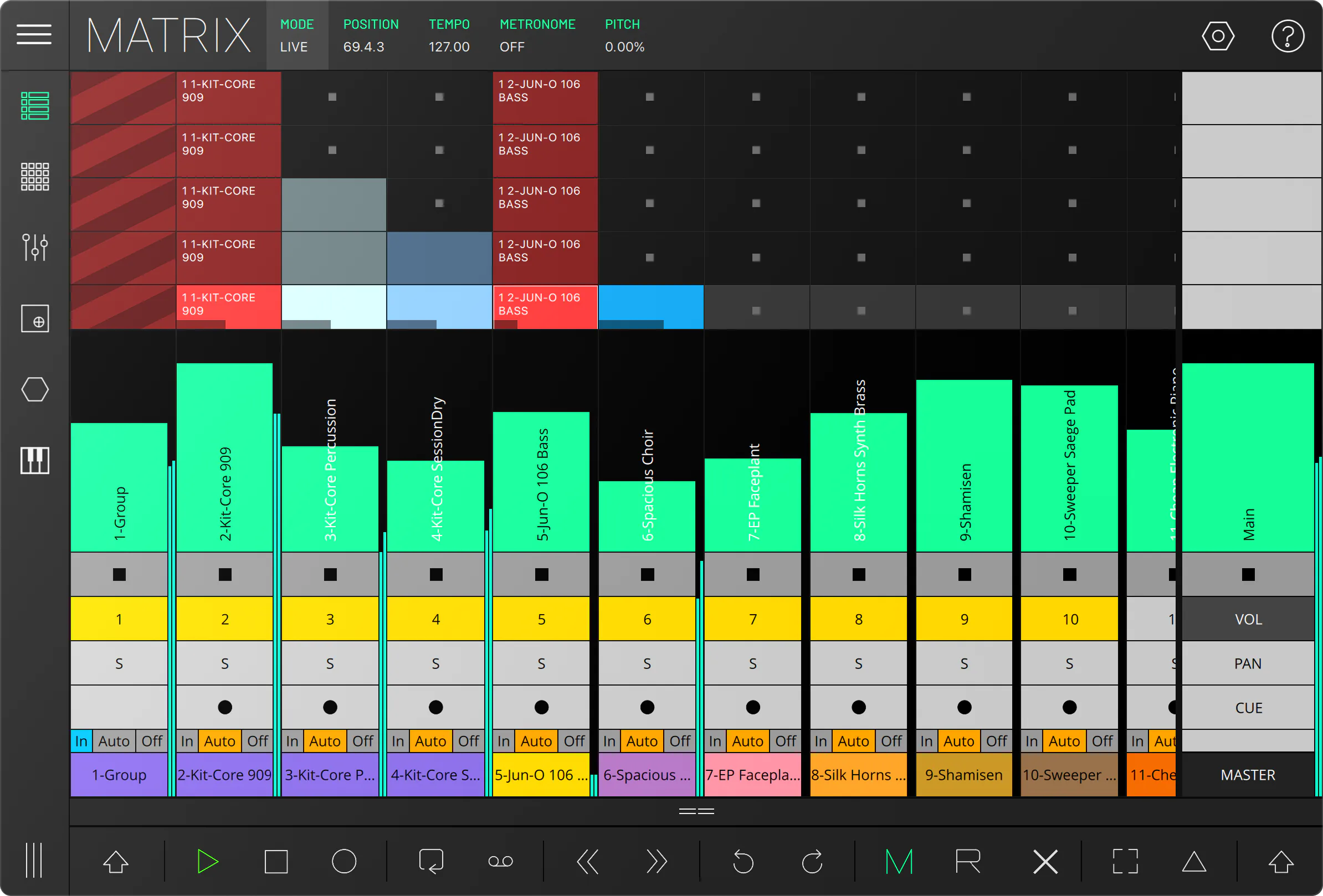
LK turns your phone or tablet into a wireless Ableton Live controller — and a complete standalone sequencer for MIDI-compatible software.
A clip-launching grid, a step sequencer, velocity pads, a build-it-yourself control surface, an XY pad, a chord generator and an expressive keyboard — seven modules covering launching, sequencing, drumming, mixing, chords and performance.
LK puts Live's Session View — and a full MIDI toolkit — on the phone or tablet you already own, wirelessly over Wi-Fi.
Fire clips and scenes, ride the mixer, finger-drum on pads, play keys and chords — or run it completely standalone as a MIDI sequencer for any app or hardware.
Seven switchable modules in one app. Free to download — unlock only the modules you need, with no subscription, ever.
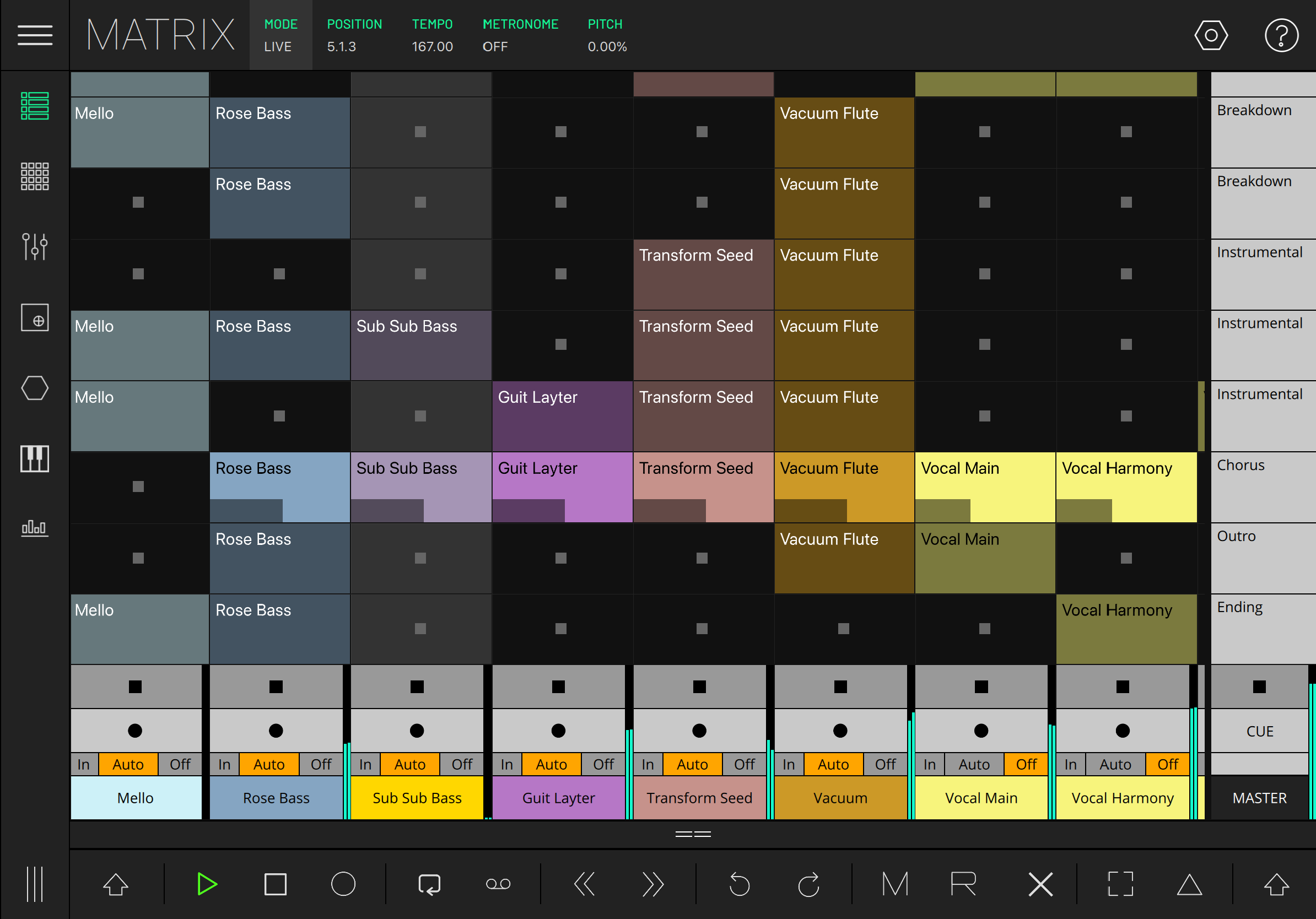
A tracks-by-scenes grid that works two ways. In Live mode it mirrors Ableton's Session View in real time — launch clips, fire scenes, arm and mute tracks. In MIDI mode it's a standalone clip sequencer with a built-in piano-roll composer. No Live required.
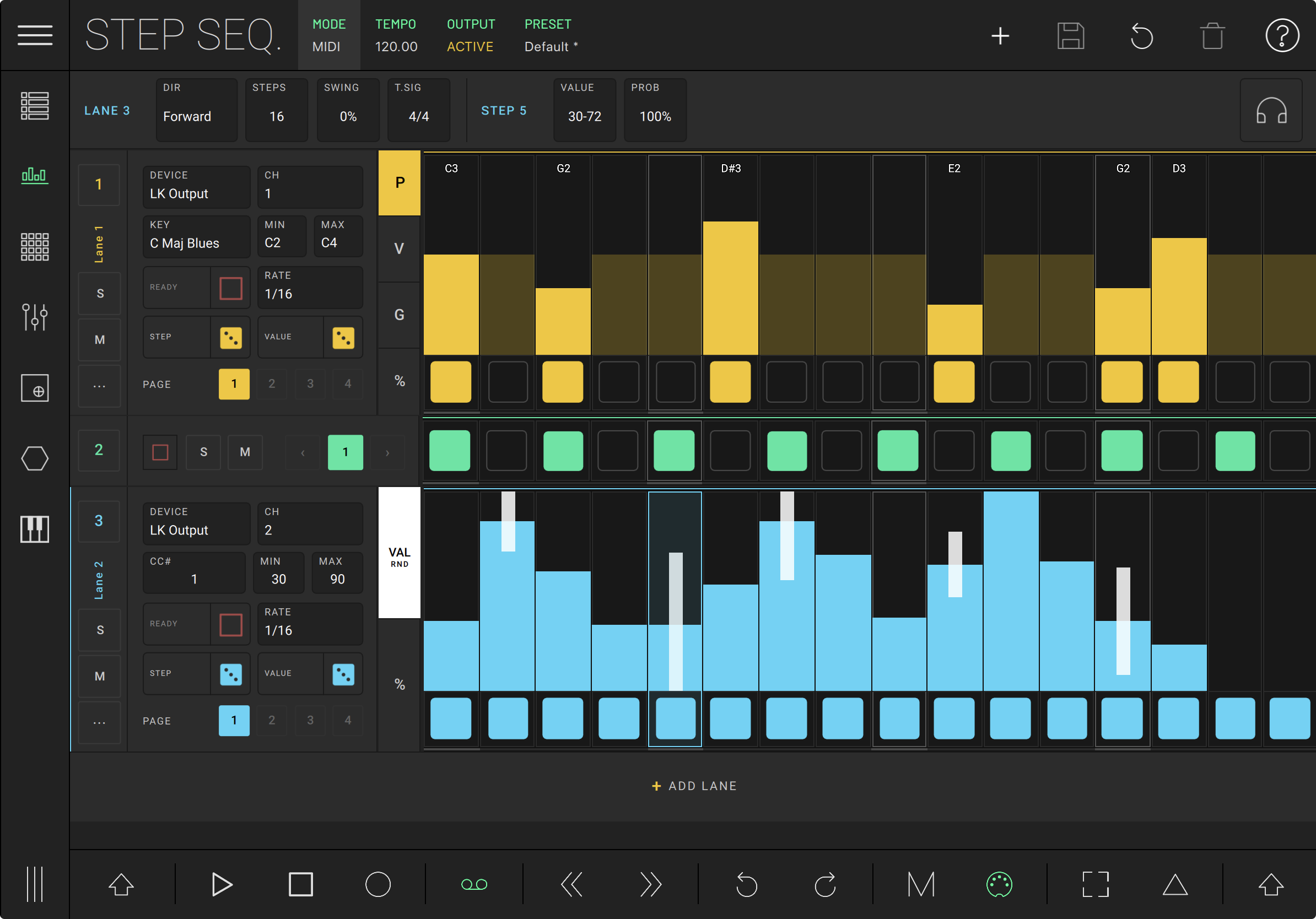
Stack up to 64 lanes of notes and automation, each with its own length, rate, direction, swing and scale. Probability, ratchets and per-step random ranges keep a pattern moving, and every lane starts and stops on the beat, like a clip.
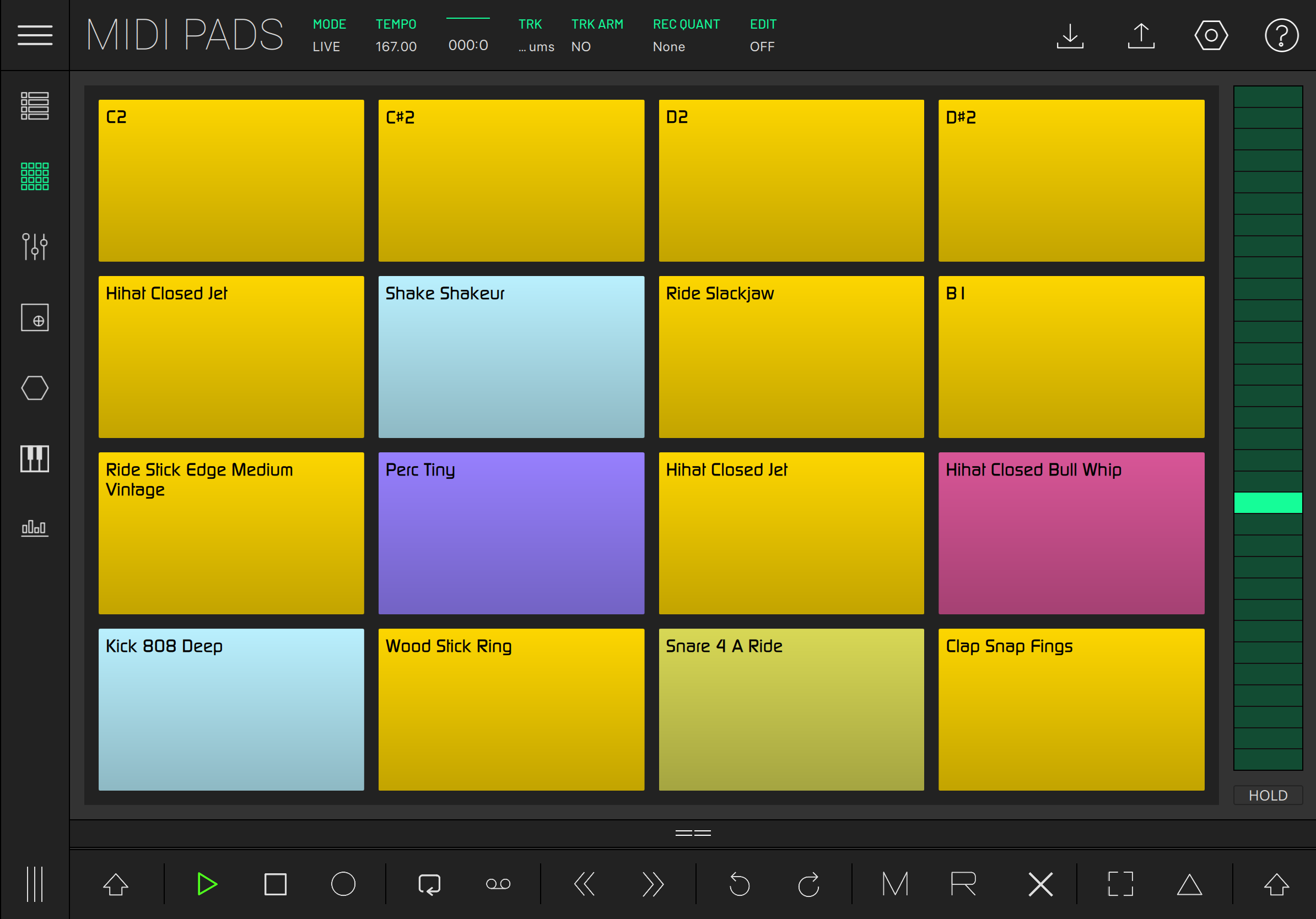
A position-to-velocity pad grid for drums and one-shots, across multiple pages. Custom colours and labels per pad, three velocity-response modes, a tempo-synced arpeggiator, hold, and chord triggering.
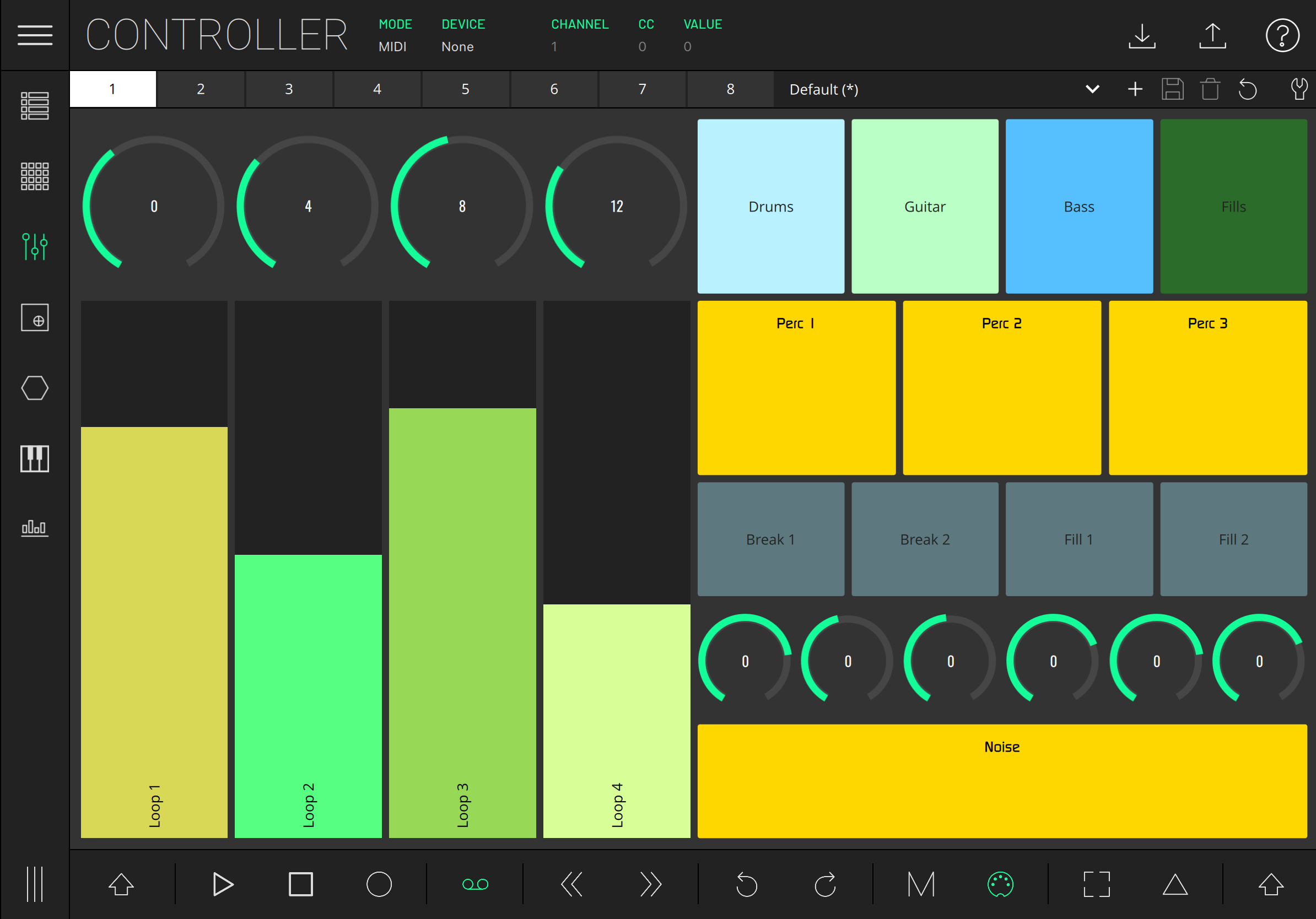
A drag-and-drop surface of faders, knobs, buttons and encoders. Map any control to MIDI CC, notes, or Ableton device parameters — with multiple banks, MIDI Learn, and import/export of layouts.
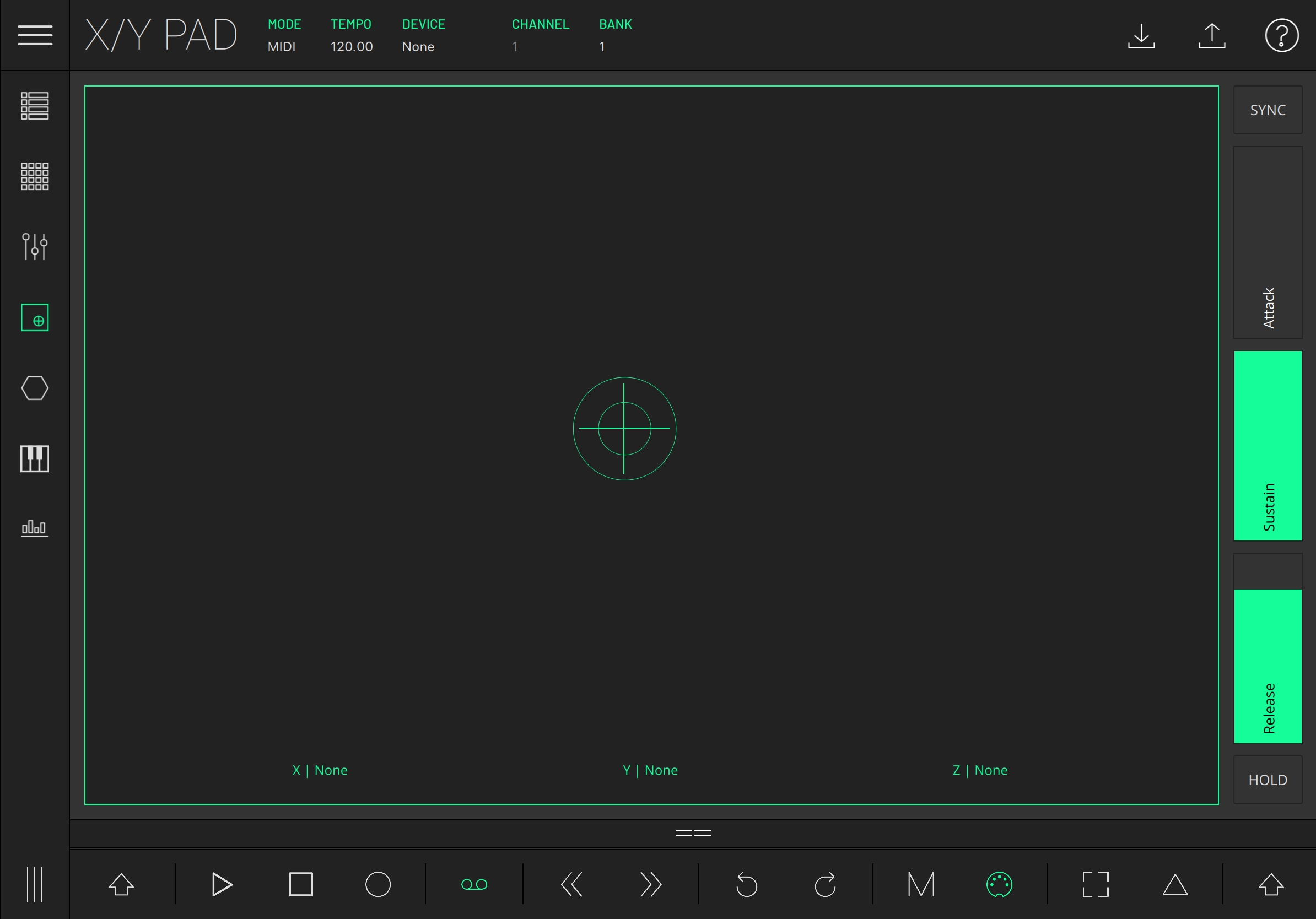
A pressure-sensitive XY pad controlling up to three parameters at once. CC or note mode, with a built-in tempo-syncable LFO and an attack / sustain / release envelope.
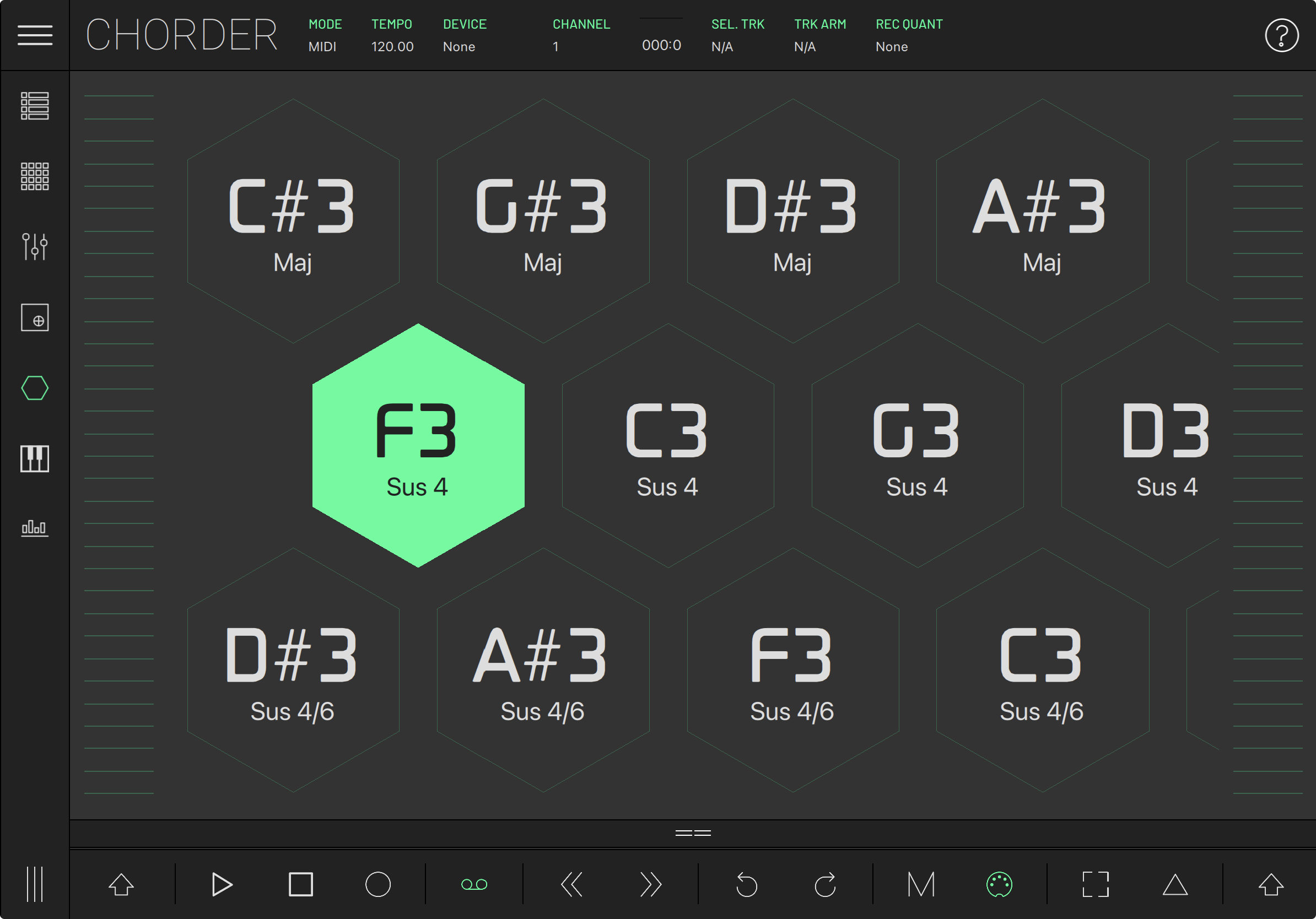
Trigger full chords from single notes, with key and scale awareness. An extensive chord library, a custom chord builder, savable presets, octave shift and a built-in arpeggiator.
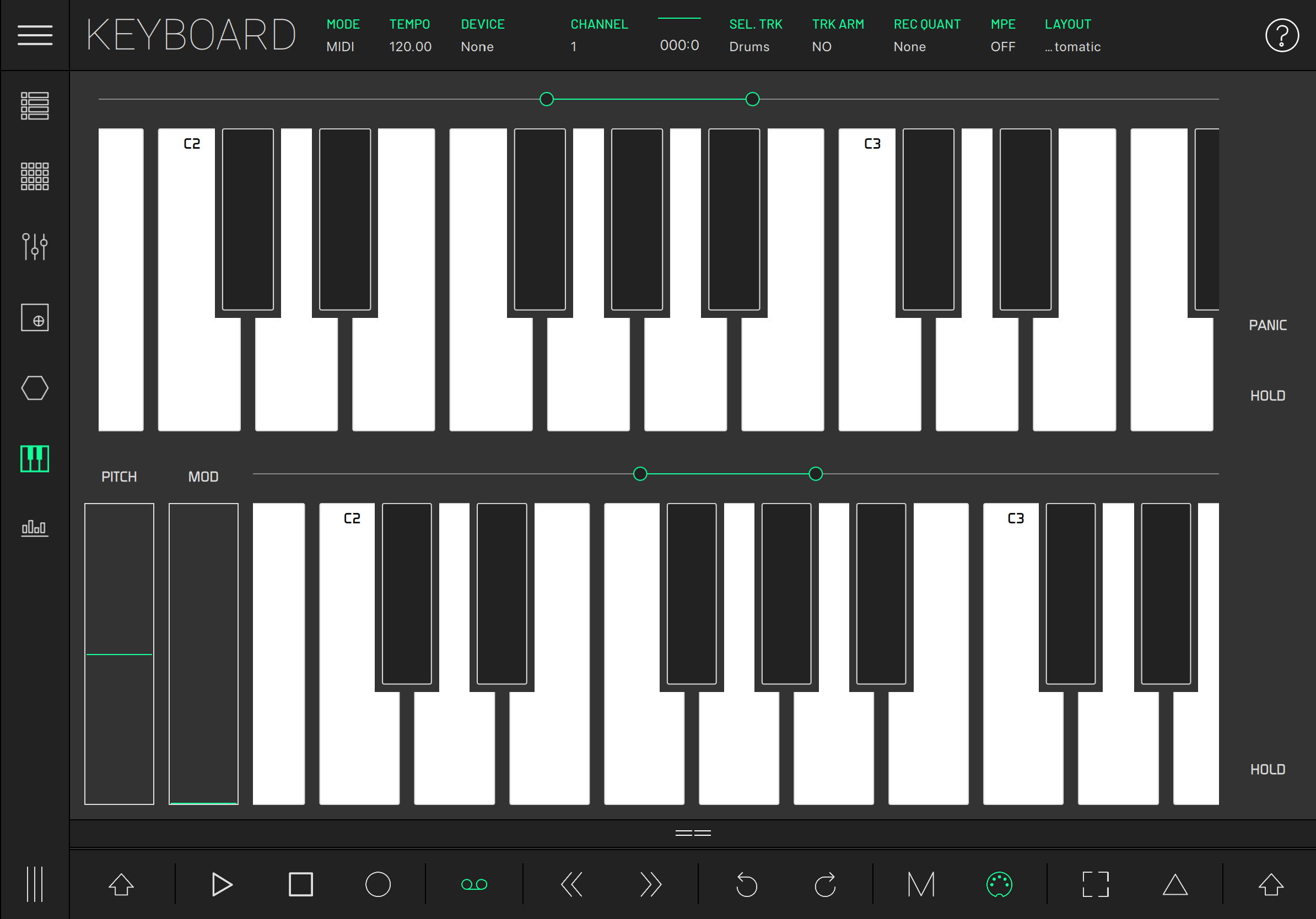
Single or dual multi-touch keyboards with scale and root selection. Full MPE — per-note pressure and X/Y modulation — plus a built-in arpeggiator.
Seven modules, seven full-screen instruments. Here's what each one does, control by control.
LK's Matrix shows the clip grid, scene launcher, mixer strip and transport at once. Tap a clip and it fires; drag the focus rectangle and Live follows. No digging, no menus.
In Live mode every element mirrors Ableton in real time — clip colours, scene names, track arm states. In MIDI mode the same grid becomes a standalone clip sequencer with its own piano-roll composer, no Live needed.
Tap to launch, double-tap to record. Live's clip colours come through unchanged.
Fire a whole row at once. Long-press to queue without launching.
Always-on volume, meters and tap-tempo, staying in sync with Live's bar and beat.
A built-in piano-roll with scale-aware melody and chord generation, mirror, transpose and follow actions.
Up to 64 lanes, each a self-contained sequencer — its own length, rate, direction, swing and time signature. Give two lanes different lengths and the polyrhythms write themselves.
Every step carries pitch, velocity, gate, probability and up to 8× ratchet: enough detail in a single row to make a groove sound played, not programmed.
Play notes, or draw CC shapes — and in Live mode, drive an Ableton device parameter.
22 scales with a selectable root, or one of 53 drum maps, every step labelled.
Per-lane play and stop, quantized to the Matrix's launch grid.
Give pitch, velocity or gate a spread and the step lands anywhere inside it.
A position-to-velocity pad grid for drums and one-shots, spanning the full note range across pages. Name and colour every pad, then latch them on with hold.
Press position becomes velocity — radial from the centre or linear top-to-bottom — so a single pad covers soft to hard without ever leaving the surface.
Radial or linear response maps where you press to how hard it hits.
Five modes, tempo sync, and adjustable steps, rate and gate.
Play a full chord from a single pad, chosen from a deep chord library.
Pads mirror the selected track's Drum Rack — pad names and all.
A blank canvas of knobs, sliders, buttons and pads. Drop in the controls you need, then drag to reposition and resize until the layout fits your hands and your track.
Save layouts across eight banks and carry them between devices — export a rig on your phone and import it on your tablet.
Add, move and resize knobs, sliders, buttons and pads freely.
Give each bank its own layout; save, export and reload them.
Send CC, notes or program change — or bind straight to Ableton device parameters.
Map external hardware to any control in a couple of taps.
A pressure-sensitive pad that moves three destinations at once — X, Y and a Z axis driven by pressure. Assign them to CCs, notes or Ableton parameters.
A built-in LFO and envelope keep things moving after your finger stops, so a single gesture becomes an evolving modulation.
X, Y and Z control up to three parameters simultaneously.
Sine, square or saw, tempo-syncable, with amount, rate and delay.
Attack, sustain and release shaping on the Z axis.
Snap back to centre, fall to zero, or hold right where you left it.
A honeycomb of chords laid out by key and scale — tap any cell for a full, in-key chord. Stack presets into layouts and build your own from an extensive chord library.
Strummers down each side let you play a chord's notes one at a time, like strings on a guitar.
Trigger full chords from single cells, always in key and scale.
Side strummers play the chord's notes like strings.
A deep library plus a custom builder; save your own presets.
Five modes, tempo sync, and adjustable steps, rate and gate.
One or two multi-touch keyboards with pitch and mod wheels, hold and panic. Pick a root and scale and the keys fold to show only notes that fit — so you never hit a wrong one.
Turn on MPE and every key responds to per-note pitch and X/Y expression, turning LK into a fully expressive MIDI controller.
Stacked layouts with pitch and mod wheels, hold and panic.
Choose a root and one of 20-plus scales; only in-key notes remain.
Per-note pitch and X/Y expression, right from the surface.
Five modes, tempo sync, and adjustable steps, rate and gate.
Deep integration · clips, mixer, devices
LK's reason for being. Launch clips, fire scenes, ride the mixer and map device parameters with full Session View mirroring — colours and names included. Connection is handled over Wi-Fi by the free UBRIDGE helper, or wired over USB on iOS and Android.
A MIDI source & processor in any host
Run LK inside any Audio Unit host — AUM, Cubasis, GarageBand and more — right alongside your other apps. LK sends and processes MIDI; route it into any instrument in your session.
Plug-and-play factory mappings · LED feedback
LK auto-maps to grids and surfaces you may already own, with full LED feedback for hands-on clip launching: Novation Launchpad (Mini, Mini MK3, MK2, X, Pro), Launchkey Mini MK3 and Launch Control XL / XL3; Akai APC40 MK2, APC Key 25 (and MK2) and APC Mini; Korg nanoKONTROL Studio.
Tempo lock across the room
Every Link-aware app on the same Wi-Fi locks to LK's tempo and stays phase-locked — drift-free sync, no cables.
Standalone MIDI sequencing & control
No computer in the middle. Sequence and control any hardware over USB-MIDI or virtual MIDI — drive a Digitone, a Moog, a Volca or a Eurorack interface straight from the grid, pads or keys.
Free helper for the Ableton Live link
A free background app for Mac and PC. It auto-discovers LK on your network and routes the Live connection — no IP entry, no setup. Only needed for the Ableton Live integration; plain MIDI and standalone work without it.
On a mission to innovate rather than imitate, Imaginando has built a solid reputation for releasing products that excite musicians and producers, offering new ways to maximize creativity.
This isn’t the first pocket controller. But it might be the first pocket controller to become truly invaluable. That’s because there’s robust support for more than just sliding some faders on your…
With so many Ableton controller apps available on iOS, Android compatibility might be LK's strongest niche, and although it's unlikely to blow any minds, its stability, user-friendly setup and…
iOS 17.0 or later. Universal app, and an AUv3 plug-in · ~123 MB download
Android 9 or later. ARM64. Around 60 MB installed.
Both devices on the same Wi-Fi, or wired over USB on iOS and Android.
Free Mac / PC helper for the Ableton Live link. Not needed for standalone MIDI or AUv3.

Every panel, every module, every mapping. Setup for Ableton Live, standalone MIDI and AUv3 — searchable, with screenshots for each platform.
Read the manual →Video tutorialsStep-by-step videos covering the Clip Matrix, Mixer, Controller layouts and Ableton Live setup — plus tips from the team.
Open YouTube →SupportHit a snag? Send a message — we answer fast, usually the same day, in English or Portuguese.
Open chat →